> ## Documentation Index
> Fetch the complete documentation index at: https://docs.bigdelta.com/llms.txt
> Use this file to discover all available pages before exploring further.
# Sharing dashboards
> Schedule automatic dashboard delivery via Slack or email
## Sharing dashboards
You can schedule automatic dashboard delivery via Slack or email so your team stays informed without having to open Bigdelta.
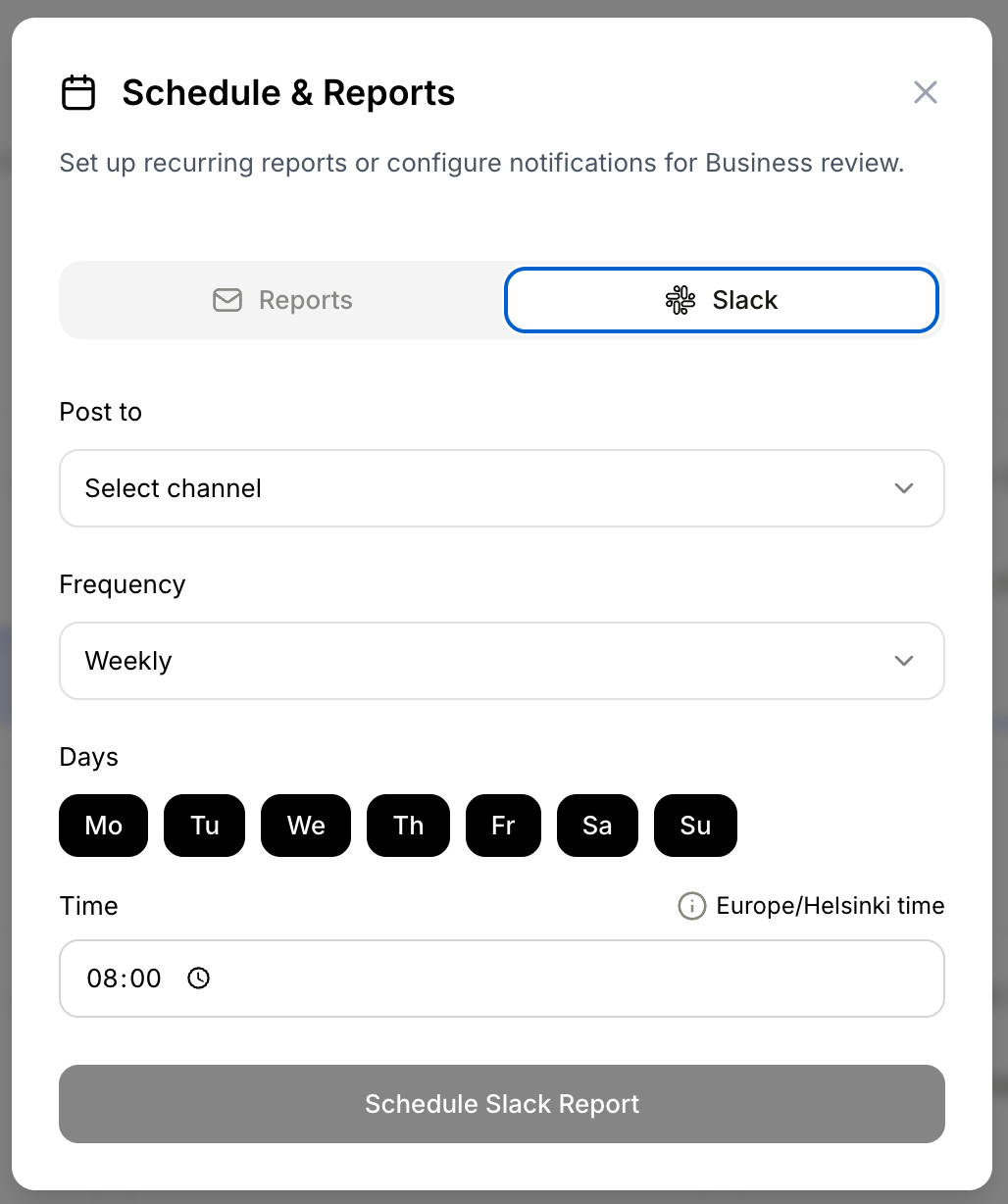
### Share via Slack
1. Open a dashboard
2. Click the **Share** button
3. Select **Slack**
4. Choose a Slack channel
5. Set the delivery frequency by selecting specific days of the week
6. Set the delivery time
7. Save the schedule
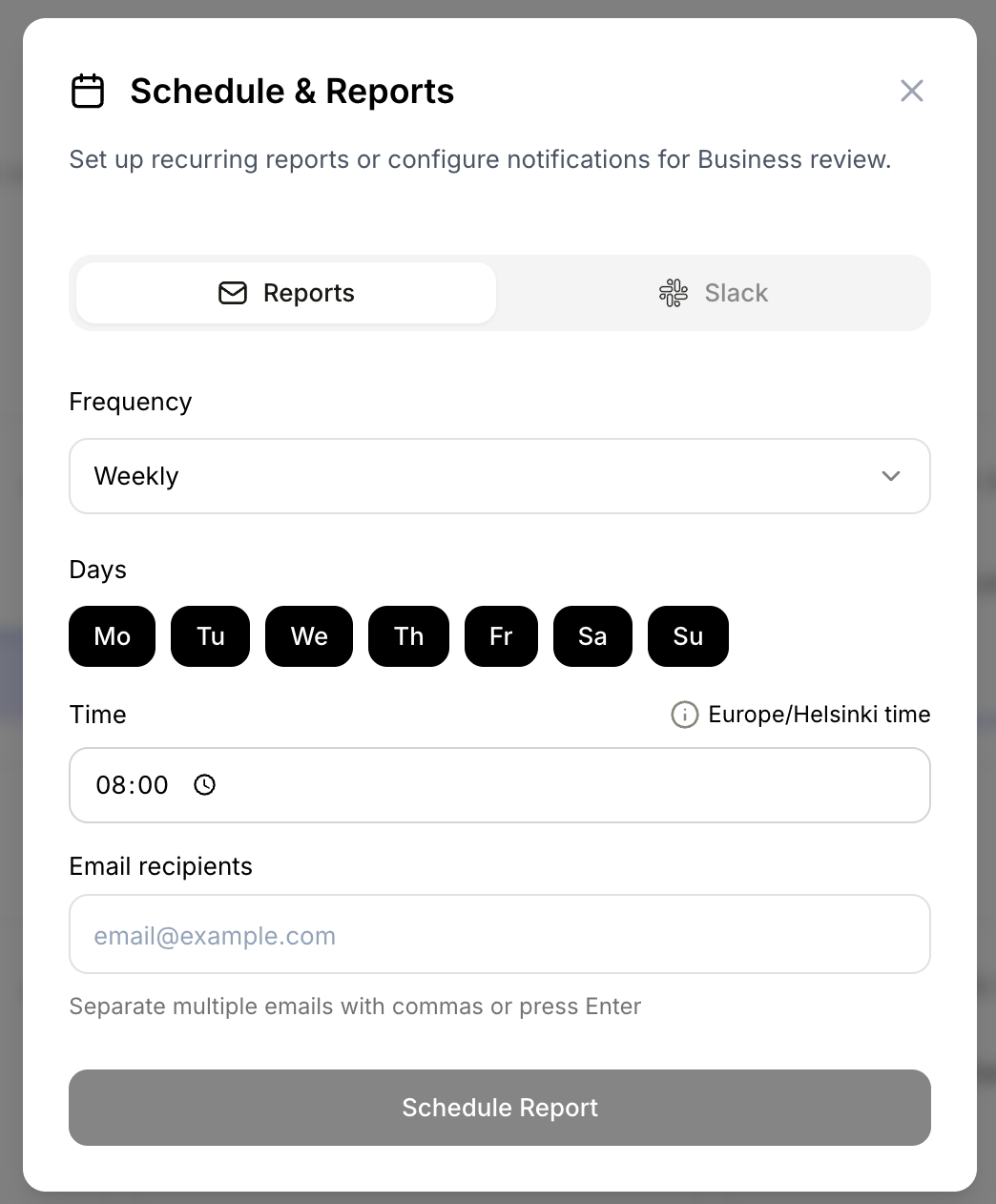
 ### Share via email
1. Open a dashboard
2. Click the **Share** button
3. Select **Email**
4. Enter recipient email addresses
5. Set the frequency and time
6. Save the schedule
### Share via email
1. Open a dashboard
2. Click the **Share** button
3. Select **Email**
4. Enter recipient email addresses
5. Set the frequency and time
6. Save the schedule
 You can set up both Slack and email schedules for the same dashboard. For example, send a weekly summary to a Slack channel on Mondays and a monthly overview via email to leadership on the first of each month. Manage all schedules from the Share menu.