> ## Documentation Index
> Fetch the complete documentation index at: https://docs.bigdelta.com/llms.txt
> Use this file to discover all available pages before exploring further.
# Provide entitlement data
> Define your product's entitlements to track usage thresholds per feature and plan.
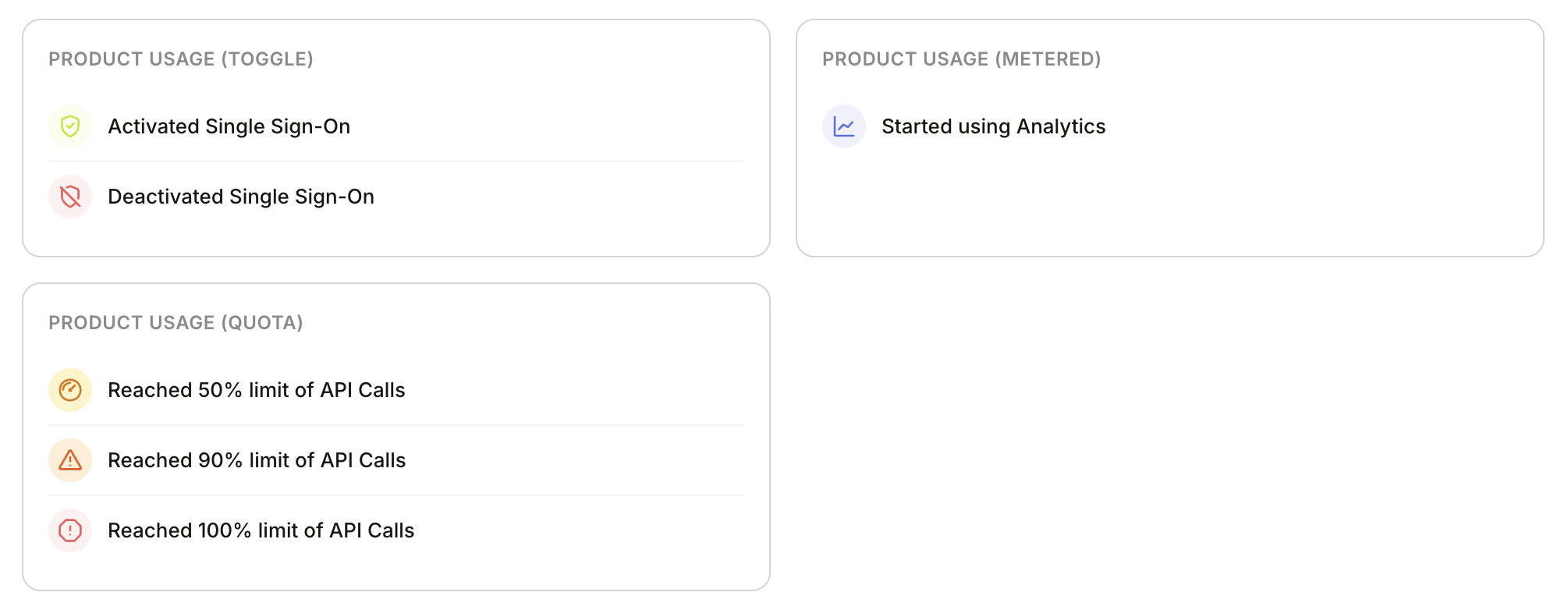 For more granular tracking, you can define your product's entitlements — the features and usage limits included in each plan. This lets Bigdelta track usage thresholds per entitlement rather than just overall plan limits.
Bigdelta supports three entitlement types:
| Type | Use case | Example |
| ----------- | ----------------------------------- | ---------------------------------------- |
| **Toggle** | Feature on/off with no counting | "Advanced Analytics" enabled or disabled |
| **Quota** | Capped usage that doesn't reset | "5 exports total" |
| **Metered** | Usage that resets per billing cycle | "1,000 API calls per month" |
**How to set up:**
1. [Create an entitlement](https://eu.bigdelta.com/entitlements) in Bigdelta — this generates API examples you can copy
2. [Authenticate your API requests](/guide/settings/access-keys#authenticating-api-requests) using your API key and secret
3. Use the [API](https://eu.api.bigdelta.com/docs) to send usage updates per account
All usage updates are sent to:
```
POST /entitlements/{ENTITLEMENT_ID}/accounts/{ACCOUNT_ID}/usage?workspace_id={WORKSPACE_ID}
```
**Quota** — capped usage that doesn't reset
```json theme={null}
// Resource created
{ "action": "INCREASE", "amount": 1 }
// Resource deleted
{ "action": "DECREASE", "amount": 1 }
// Full sync / recalculate
{ "action": "SET", "amount": 42 }
```
**Metered** — usage that resets per billing cycle
```json theme={null}
// Resource used
{ "action": "INCREASE", "amount": 1 }
// Billing period resets in your product
{ "action": "RESET" }
```
**Toggle** — feature on/off
```json theme={null}
// Feature enabled (e.g. plan upgrade)
{ "action": "SET", "enabled": true }
// Feature disabled (e.g. plan downgrade)
{ "action": "SET", "enabled": false }
```
When a plan changes and new limits apply, update the limit separately:
```
POST /entitlements/{ENTITLEMENT_ID}/accounts/{ACCOUNT_ID}/limit?workspace_id={WORKSPACE_ID}
```
```json theme={null}
{ "amount": 100 } // or -1 for unlimited
```
**What you unlock:**
* **[Entitlement activities](/guide/features/activities)** — Bigdelta tracks when accounts activate entitlements and hit usage thresholds (50%, 90%, 100% of their limit)
* Moments can trigger on per-entitlement usage thresholds for more targeted upsell outreach
For more granular tracking, you can define your product's entitlements — the features and usage limits included in each plan. This lets Bigdelta track usage thresholds per entitlement rather than just overall plan limits.
Bigdelta supports three entitlement types:
| Type | Use case | Example |
| ----------- | ----------------------------------- | ---------------------------------------- |
| **Toggle** | Feature on/off with no counting | "Advanced Analytics" enabled or disabled |
| **Quota** | Capped usage that doesn't reset | "5 exports total" |
| **Metered** | Usage that resets per billing cycle | "1,000 API calls per month" |
**How to set up:**
1. [Create an entitlement](https://eu.bigdelta.com/entitlements) in Bigdelta — this generates API examples you can copy
2. [Authenticate your API requests](/guide/settings/access-keys#authenticating-api-requests) using your API key and secret
3. Use the [API](https://eu.api.bigdelta.com/docs) to send usage updates per account
All usage updates are sent to:
```
POST /entitlements/{ENTITLEMENT_ID}/accounts/{ACCOUNT_ID}/usage?workspace_id={WORKSPACE_ID}
```
**Quota** — capped usage that doesn't reset
```json theme={null}
// Resource created
{ "action": "INCREASE", "amount": 1 }
// Resource deleted
{ "action": "DECREASE", "amount": 1 }
// Full sync / recalculate
{ "action": "SET", "amount": 42 }
```
**Metered** — usage that resets per billing cycle
```json theme={null}
// Resource used
{ "action": "INCREASE", "amount": 1 }
// Billing period resets in your product
{ "action": "RESET" }
```
**Toggle** — feature on/off
```json theme={null}
// Feature enabled (e.g. plan upgrade)
{ "action": "SET", "enabled": true }
// Feature disabled (e.g. plan downgrade)
{ "action": "SET", "enabled": false }
```
When a plan changes and new limits apply, update the limit separately:
```
POST /entitlements/{ENTITLEMENT_ID}/accounts/{ACCOUNT_ID}/limit?workspace_id={WORKSPACE_ID}
```
```json theme={null}
{ "amount": 100 } // or -1 for unlimited
```
**What you unlock:**
* **[Entitlement activities](/guide/features/activities)** — Bigdelta tracks when accounts activate entitlements and hit usage thresholds (50%, 90%, 100% of their limit)
* Moments can trigger on per-entitlement usage thresholds for more targeted upsell outreach