> ## Documentation Index
> Fetch the complete documentation index at: https://docs.bigdelta.com/llms.txt
> Use this file to discover all available pages before exploring further.
# Team members
> Invite, manage, and search for team members in your workspace.
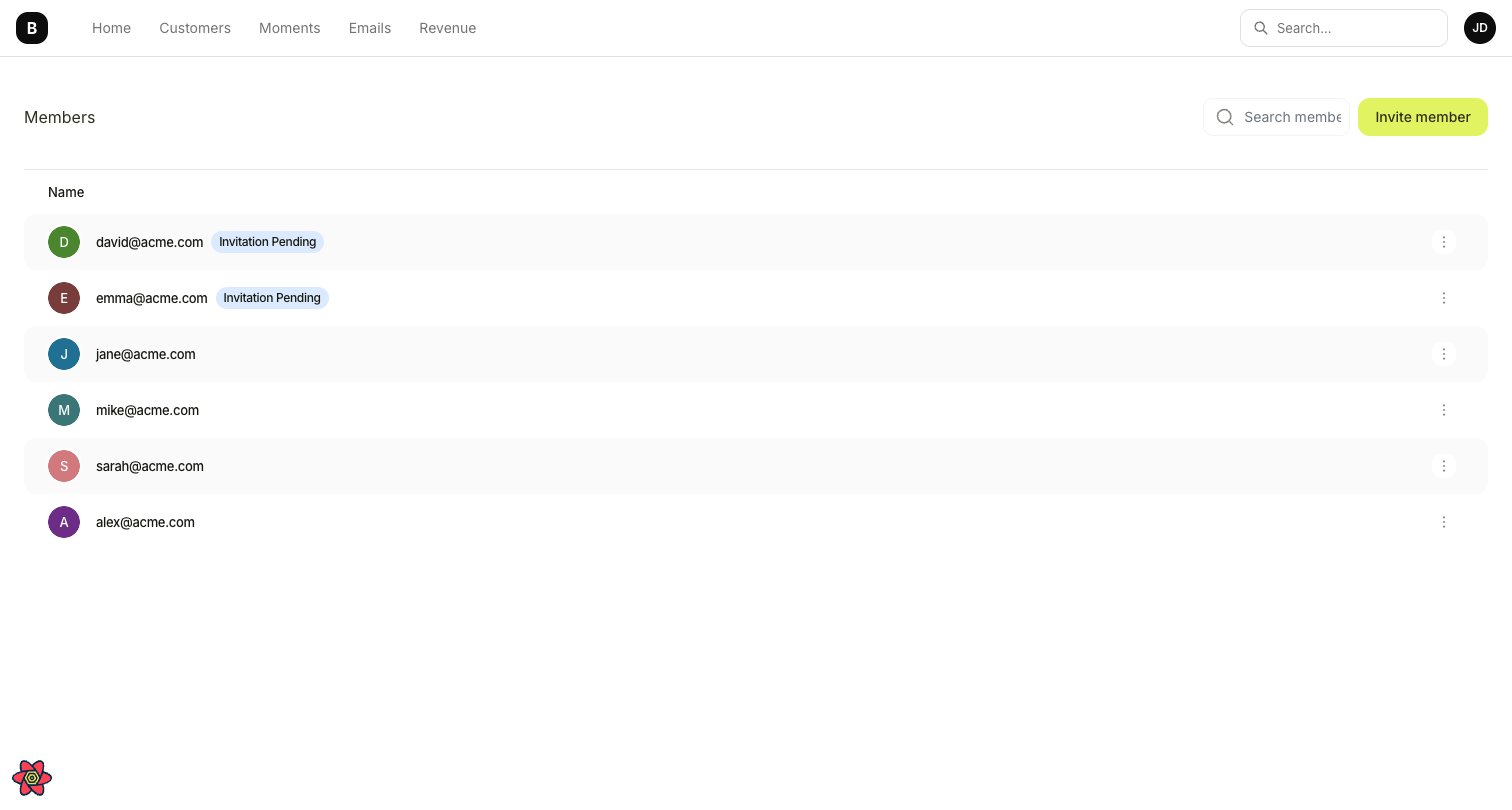
## Viewing team members
To see who has access to your workspace:
1. Go to **Settings** → **Team Members**.
2. You will see a list of all active members and any pending invitations.
 ## Searching for members
If your team is large, use the search bar at the top of the Team Members page to quickly find a specific person by name or email.
## Inviting a new member
To add someone to your workspace:
1. Go to **Settings** → **Team Members**.
2. Click **Invite Member**.
3. Enter their email address.
4. Click **Invite**.
The person will receive an email with a link to join your workspace. Once they accept, they will appear in the active members list.
You can invite multiple people by repeating the process for each email address.
## Who to invite and why
| Role | What they get from Bigdelta |
| -------------------- | --------------------------------------------------------------------- |
| **Founders** | Revenue health overview, high-level dashboards |
| **Customer Success** | Account profiles, revenue stages, moment alerts for at-risk customers |
| **RevOps** | Revenue reporting |
| **Product** | Product stages, feature adoption tracking, usage analytics |
| **Finance** | MRR tracking, billing history, subscription data |
## Searching for members
If your team is large, use the search bar at the top of the Team Members page to quickly find a specific person by name or email.
## Inviting a new member
To add someone to your workspace:
1. Go to **Settings** → **Team Members**.
2. Click **Invite Member**.
3. Enter their email address.
4. Click **Invite**.
The person will receive an email with a link to join your workspace. Once they accept, they will appear in the active members list.
You can invite multiple people by repeating the process for each email address.
## Who to invite and why
| Role | What they get from Bigdelta |
| -------------------- | --------------------------------------------------------------------- |
| **Founders** | Revenue health overview, high-level dashboards |
| **Customer Success** | Account profiles, revenue stages, moment alerts for at-risk customers |
| **RevOps** | Revenue reporting |
| **Product** | Product stages, feature adoption tracking, usage analytics |
| **Finance** | MRR tracking, billing history, subscription data |