
Sharing dashboards
You can schedule automatic dashboard delivery via Slack or email so your team stays informed without having to open Bigdelta.Share via Slack
- Open a dashboard
- Click the Share button
- Select Slack
- Choose a Slack channel
- Set the delivery frequency by selecting specific days of the week
- Set the delivery time
- Save the schedule
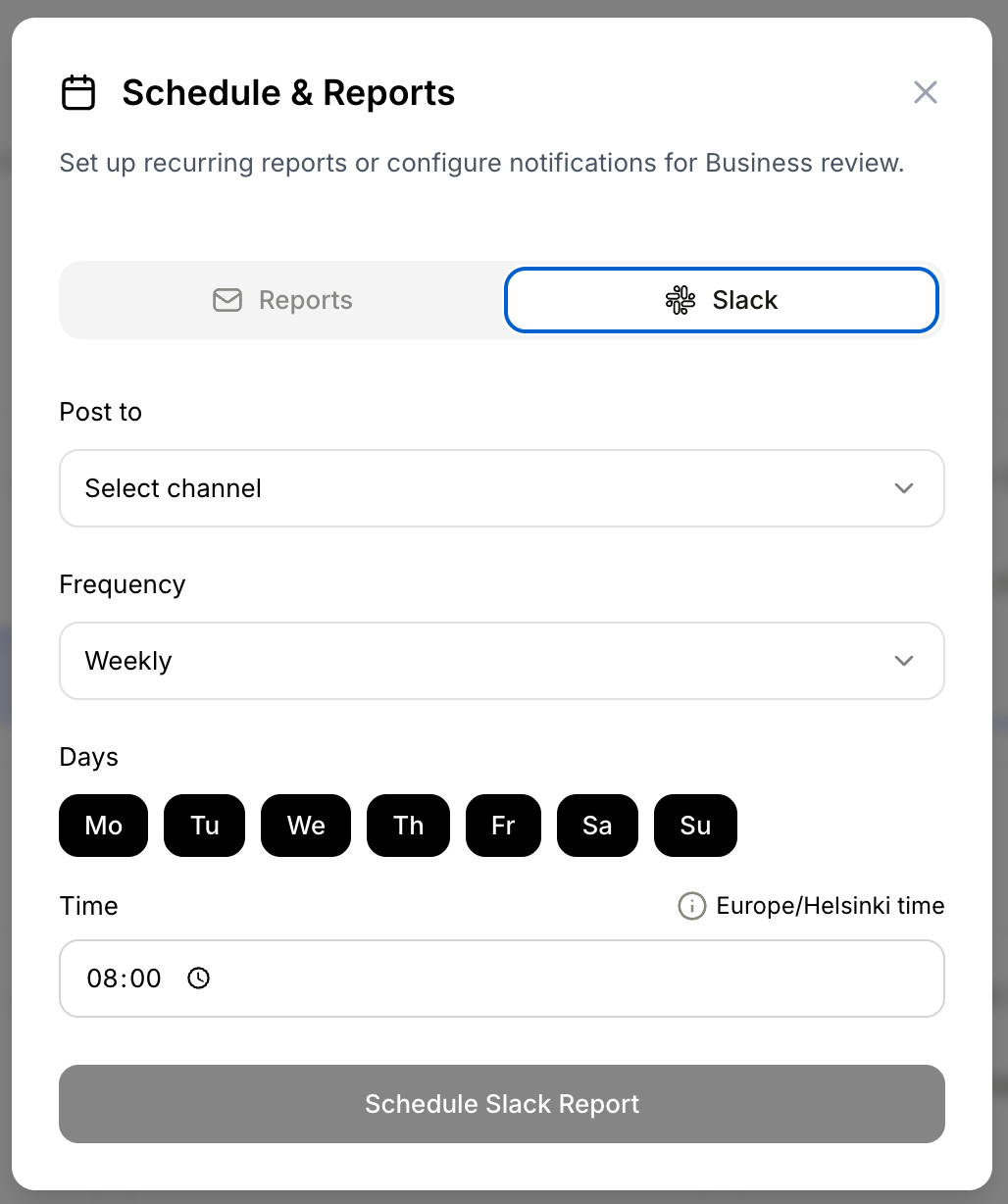
Schedule & Reports dialog showing Slack delivery with channel, frequency, day, and time settings
Share via email
- Open a dashboard
- Click the Share button
- Select Email
- Enter recipient email addresses
- Set the frequency and time
- Save the schedule
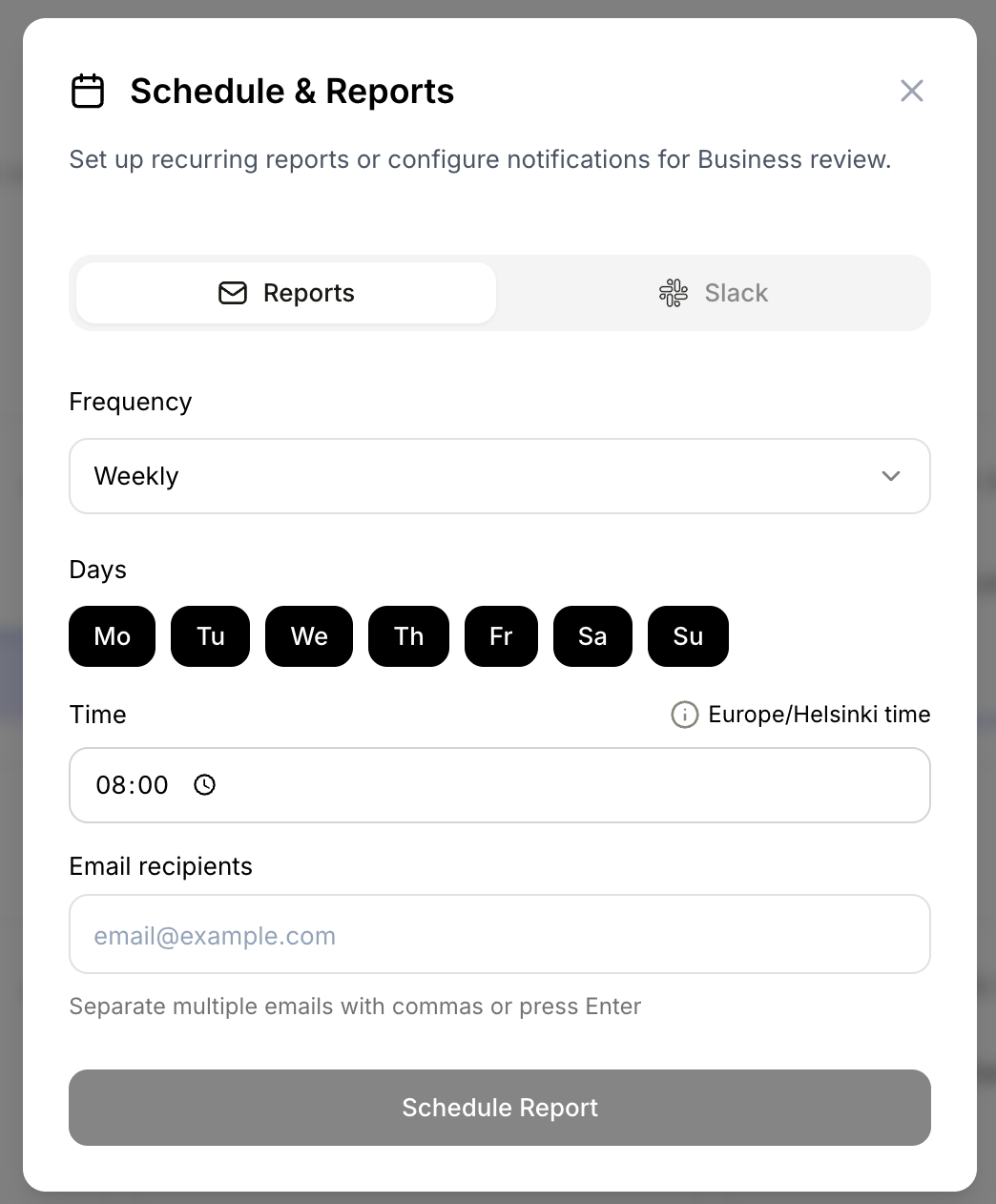
Schedule & Reports dialog showing email delivery with frequency, day, time, and recipient settings